
WhisperTranscribe
Join 100k+ users who transcribe their audio in minutes with the help of our Whisper AI models and grow their brand by creating content directly in our app. Try it for free now.
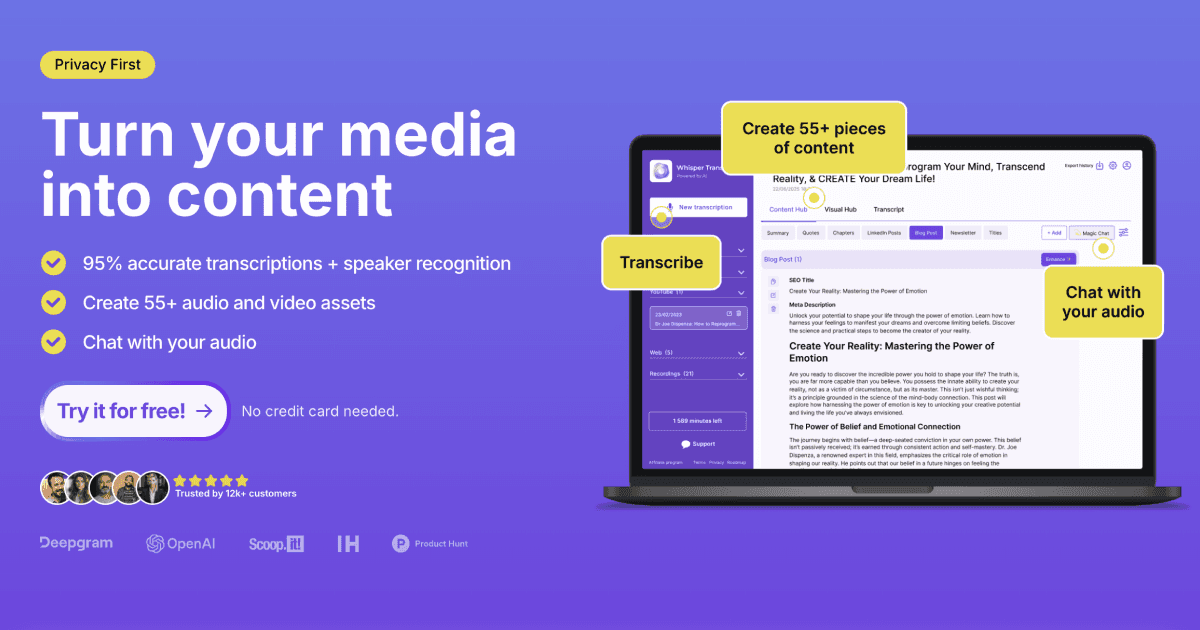
The Complete Beginner's Guide to WhisperTranscribe
Introduction
Welcome to the world of WhisperTranscribe, a cutting-edge service dedicated to converting your audio recordings into accurate written transcripts. In a digital age where every word counts, WhisperTranscribe offers an efficient solution for students, professionals, and anyone in need of reliable transcription services.
Key benefits and use cases:
- Transcribe interviews for research or articles
- Convert lectures and seminars into notes
- Create written records for meetings
- Generate subtitles for videos
Who Uses WhisperTranscribe: From journalists and podcasters to educators, and business professionals, anyone dealing with audio content will find this tool invaluable.
What Makes WhisperTranscribe Unique: With its focus on accuracy and speed, WhisperTranscribe stands out by utilizing advanced AI algorithms that ensure precise transcripts with minimal errors.
Pricing Plans: WhisperTranscribe offers a variety of pricing plans to suit different needs. For detailed pricing information, kindly visit the official WhisperTranscribe Pricing Page. (Disclaimer: Pricing is subject to change.)
Getting Started
System Requirements:
- A reliable internet connection
- A modern web browser (Chrome, Firefox, or Safari)
- Access to audio recordings in common formats (MP3, WAV, etc.)
Basic Interface Navigation: Once logged in, users are greeted with a clean, user-friendly dashboard that makes uploading audio files and managing transcripts a breeze.
Core Features
Essential Functions Overview:
- Audio Upload: Easily upload your audio files with drag-and-drop capability.
- Real-Time Transcription: Watch as your audio is transcribed live for quick reference.
- Text Editing: Make corrections and adjustments to ensure your transcript meets your standards.
Basic Operations Tutorial: Simply select an audio file, choose your language preference, and let the AI do its magic! Within minutes, you’ll have your completed transcript ready for review.
Common Settings Explained: Explore customization options such as formatting styles, output preferences (e.g., plain text, Word document), and language settings for multilingual support.
First Project Tutorial
Step-by-Step Walkthrough:
- Upload your audio file: Click the “Upload” button on the dashboard.
- Select transcription settings: Choose your preferred language and any specific formatting options.
- Initiate Transcription: Hit the “Transcribe” button to start the process.
- Review the transcript: Once complete, review and edit the transcript as needed.
- Download or share: Download your final transcript in your desired format or share it directly with collaborators.
Tips for Best Results:
- Use high-quality audio recordings to minimize background noise and enhance clarity.
- Ensure speakers are articulate and at a consistent volume.
- Regularly proofread completed transcripts for utmost accuracy.
Troubleshooting Basics:
If you experience any issues, ensure your audio file format is supported, check your internet connection, and refresh the page if necessary.
Best Practices
Recommended Workflows:
- Break longer recordings into manageable segments for easier transcription.
- Utilize the editing tools post-transcription to streamline the final document.
Common Mistakes to Avoid:
- Forgetting to double-check for any misrecognized words.
- Directly using transcriptions without proper formatting or review.
Performance Optimization:
- Regularly update your browser for optimal performance.
- Allocate sufficient time for larger files to process and transcribe.
Pros and Cons
Pros:
- High accuracy rate with minimal errors
- User-friendly interface
- Quick turnaround time
- Supports multiple languages
Cons:
- Requires an internet connection
- Pricing can accumulate with high-volume needs
Summary
WhisperTranscribe is a powerful tool for anyone in need of accurate and efficient audio-to-text transcription. With its user-friendly interface and advanced AI technology, it simplifies the transcription process, allowing users to focus on what matters most - their content. Ready to transform your audio recordings into text? Visit the official WhisperTranscribe website to learn more and start your journey today!
Reviews
No reviews yetSimilar tools in category

Descript
Transform content creation with user-friendly editing, AI-powered tools, and effortless collaboration.
iZotope RX
Enhance audio quality with machine learning-based repair and instant cleanup.

Krisp
Achieve clear online communication with AI-powered noise reduction and live meeting transcription.